Camera Object Guide in Alight Motion: Zoom, Blur & Parallax
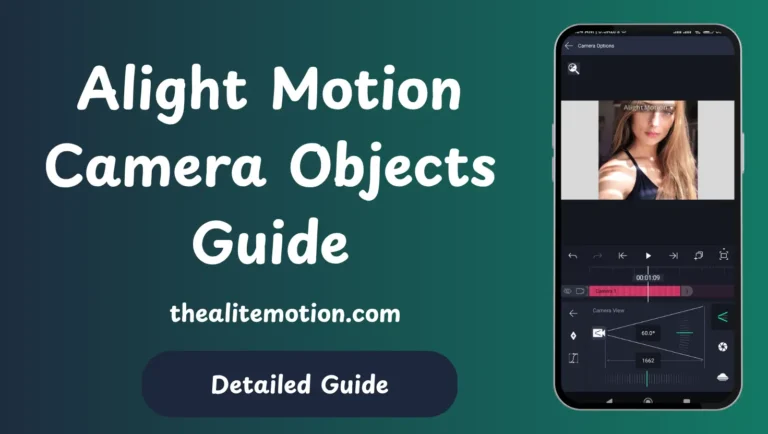
Alight Motion Mod APK for PC is a powerful animation and video editing application designed for mobile users who want to create dynamic, professional-quality visuals. It allows you to add effects like zoom-ins, zoom-outs, slides, and more—all directly from your smartphone. One of its standout features is the Camera Object, which adds realistic camera movements and depth to your scenes.
The Camera Object helps define the look and feel of your video by simulating real camera pans, zooms, and focus pulls. Mastering this tool can elevate your animation skills and give your content a polished, cinematic look. Below is a complete guide to understanding and using Camera Objects in Alight Motion Mod APK.
What Is The Alight Motion Camera Objects?
The Camera Object in Alight Motion Mod APK functions like a virtual camera within your project. Instead of manually animating each layer’s movement, you can move the camera through your composition—panning, tilting, zooming, and focusing just like a real camera would.
It’s as if you’ve placed an invisible camera inside your scene. You can move it around, change its angle, and adjust its focus on specific parts of your project. Combined with Alight Motion Mod APK’s premium tools, such as 4K export, no watermark, and unlimited layers, the Camera Object lets you produce smooth, cinematic animations right on your phone.
Create Depth In Your Videos
Depth gives your videos a sense of realism and dimension. The Camera Object allows you to work in 3D space by manipulating the Z-axis. This means you can position objects closer or farther away, just like in real-world scenes.
When you move the camera forward or backward, it creates a parallax effect—foreground objects move faster than background ones—adding a natural cinematic touch. For instance, placing your title text in the foreground and background elements further behind can make your intro look like a professional film sequence.
Add Focus Blur
One of the most cinematic techniques available in Alight Motion Mod APK is Focus Blur, which mimics a DSLR-style shallow depth of field. This effect lets you control what’s in focus and what’s softly blurred, directing viewers’ attention to key details.
You can adjust settings such as blur strength, focal distance, and aperture for creative control. Keeping your subject sharp while blurring the background instantly gives your video a more professional and engaging look.
Include Fog Effects
Fog and haze can dramatically enhance the mood of your video. In Alight Motion Mod APK, you can add fog layers that respond naturally to your camera movements, creating a realistic atmosphere and depth.
For example, adding light mist can turn a simple sunrise clip into a dreamy scene. Combine this with warm color grading or subtle motion, and you can evoke emotions that elevate your storytelling. These effects run smoothly on most modern devices thanks to optimized performance in the modded version.
Use Keyframe Animations
Keyframes are essential for smooth animations in Alight Motion Mod APK. They allow you to control the movement and timing of your camera precisely.
By setting keyframes at different points on your timeline, you can animate camera pans, zooms, or rotations seamlessly. For instance, you might start with a wide shot and then slowly zoom in to reveal a logo or product. The transitions between these points are automatically smoothed out by the app, resulting in professional-looking motion.
Apply Parallax With Parenting
Parallax is the illusion of depth when different layers move at varying speeds. You can achieve this easily in Alight Motion Mod APK using the parenting feature.
- Add a Camera Object.
- Create separate layers for your foreground, midground, and background.
- Parent these layers to the camera.
- Animate the camera’s movement.
This setup makes your scene appear multi-dimensional, perfect for travel videos, montages, or narrative sequences where depth adds visual interest.
Alight Motion | How To Camera?
Here’s how to set up a camera object:
- Launch Alight Motion Mod APK and create a new project.
- Tap the “+” button to add a new layer.
- Select Object → Camera from the menu.
- You’ll now see a new camera icon in your layer list.
From there, you can keyframe your camera’s position, zoom, and rotation. In the modded version, you can even add multiple camera objects to switch angles or create complex, multi-camera setups within one project.
Activate Active Camera
To view your project from the camera’s perspective, you need to enable Active Camera Mode.
Here’s how:
- Select the Camera Object Layer in your timeline.
- Open the View Options panel.
- Toggle Active Camera to ON.
Now, you’ll see exactly what your audience will see when the video is exported. You can easily switch between different cameras or preview various angles, which is particularly useful in complex edits.
Customizable Camera Features
The Camera Object in Alight Motion Mod APK offers a variety of customizable controls that make it incredibly flexible. These include options for movement, rotation, zoom, and effects, all of which help you craft professional-level camera motions.
MOVE, ROTATE, AND ZOOM
You can move the camera in all directions (X, Y, and Z axes), rotate it to simulate pans or tilts, and zoom in or out for dramatic reveals or close-ups.
Combining these movements with keyframes lets you design fluid transitions, like a dolly-in shot or a rotating reveal, giving your projects a cinematic feel without the need for external software.
CAMERA SETTINGS
Within the camera settings panel, you’ll find several important parameters:
- Focal Length: Adjusts how zoomed-in the camera view appears.
- Depth of Field: Controls the focus and blur effect in the scene.
- Exposure: Sets the brightness level.
- Angle & Rotation: Determines the camera’s position and direction in 3D space.
Fine-tuning these controls allows you to match the mood and tone of your project — from crisp and vibrant visuals to dreamy, blurred scenes.
ADD EFFECTS AND PRESETS
Alight Motion Mod APK includes creative camera effects like Lens Flare, Cinematic Blur, and Vignette, which can instantly elevate your visuals.
You can apply these presets directly or customize them to fit your unique style. The modded version of the app removes export limitations, allowing you to combine multiple effects and export videos in full 4K resolution without any watermark — ideal for professional creators and social media editors.
Conclusion
The Camera Object in Alight Motion Mod APK transforms simple edits into cinematic masterpieces. By combining camera movements, focus blur, and depth control, you can produce videos that feel alive and dynamic. Once you get comfortable using these tools, your animations will have the professional polish of real film production — all from your smartphone.